Files
Drive
Drive is the library. You land in Home.
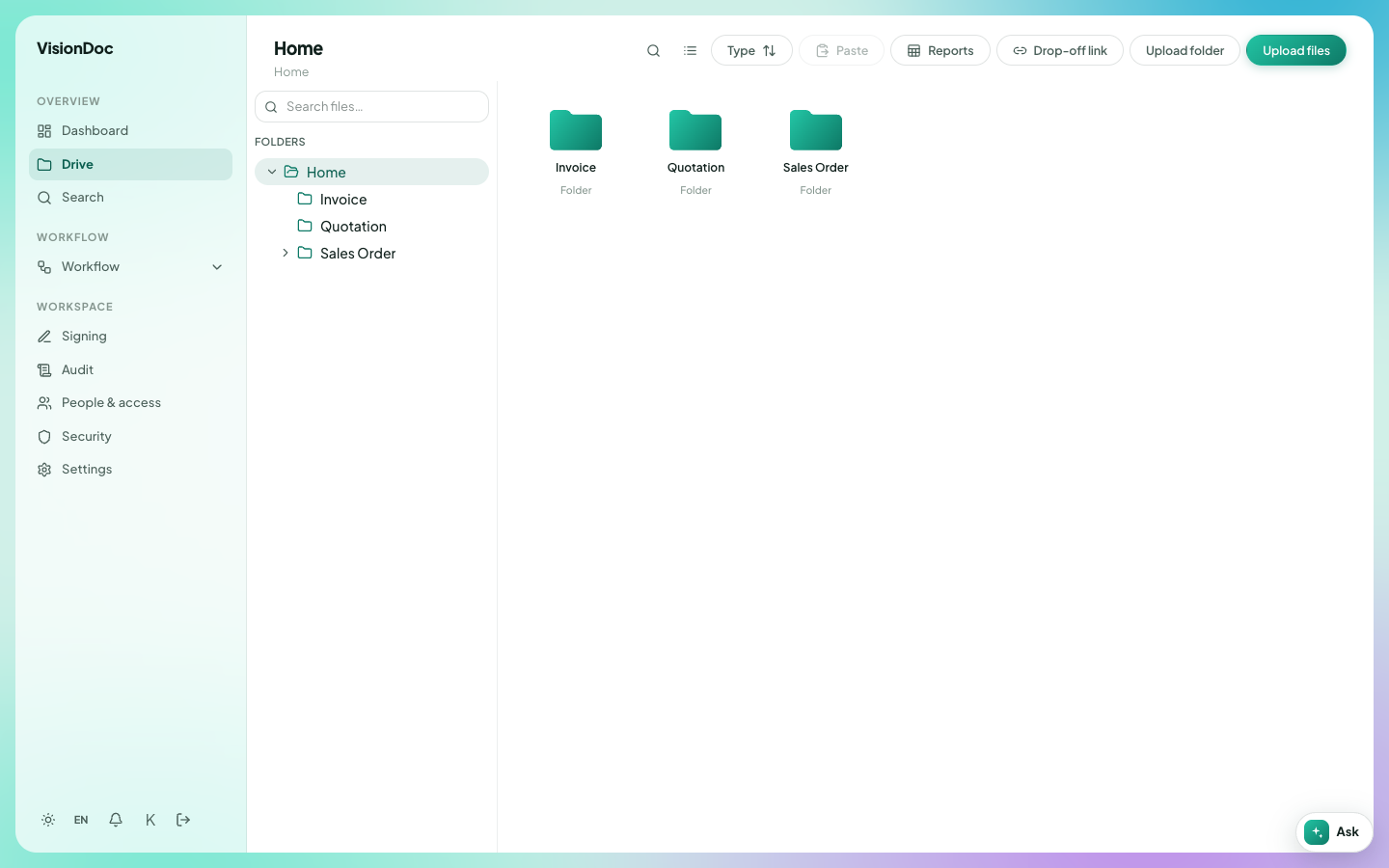
Folder structure
Home is the main folder. It sits in Drive. A company starts with three folders inside it. Every company gets this same layout.
| Folder | Where | Rule | Example |
|---|---|---|---|
| Home | In Drive | The root. You cannot delete it or rename it | The folder you land in |
| Invoice | In Home | You cannot delete it | The bill for an order |
| Quotation | In Home | You cannot delete it | The PDF a salesperson sends to a customer |
| Sales Order | In Home | You cannot delete it | The confirmed order that follows that quotation |
You can add as many folders as you need inside Invoice, Quotation, and Sales Order. For example, Quotation / 2026 holds this year's quotations, and Invoice / 2026 holds the bills. You cannot add another folder directly inside Home, and you cannot add a folder next to Home.
Put a file in
Upload files sends the files you pick into the open folder. Upload folder sends a whole folder. You can also drop files onto the page.
Paste puts a copied item into the folder you are in. Drop-off link lets a guest upload without a VisionDoc account. Type changes the sort. Reports opens the library reports.
Search files… on this page only filters the folder you are looking at. Search in the sidebar searches the whole workspace.
A filing rule can place a file in a different folder from the one you had open. The page tells you where it landed.
A link for a guest
Drop-off link makes a link into the folder you choose. You can require an email one-time code, and you can set how many hours the link lasts. Create link, then Copy URL. Revoke turns that link off. Files already uploaded stay in Drive.
Example: a customer uploads a signed quotation into Quotation, and does not need an account to do it.